Copyright © 2014 Corvette Radios & TV Repair All Rights Reserved.
- Press and hold the HR button to set the first 2 or 3 Numbers
- Press and hold the Min: button and set next 2 or 3 Numbers
3. Press the AM/FM button one time, SEC "------" should be displayed,
You can now turn the radio "ON"
1. Press and hold the preset button 2 & 3 or 1 & 4 for older radios, about 6 to 9 seconds Until the first 2 or 3 digits of the display code are displayed.
2. Write the numbers down.
3. Press the AM/FM button; write down the next 2 or 3 numbers.
4. Email information to: corvetteradios@corvetteradios.com
When you unlock code via email, here are the steps to unlock
Before you send your payment, Do this first
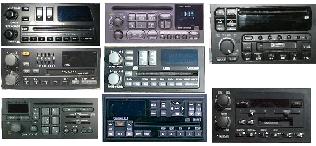
**Radios we can unlock**
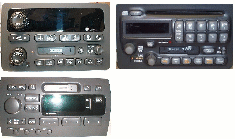
"RDS" Radios we can't unlock
Did you know that
1986 Thru 1988
Pontiac STE, Bonneville, and firebird with SWC.
The LOC feature is activated by the SWC.
if the radio goes into a LOC mode, the mute button on the SWC will unlock the radio.
This is RDS Radios